
Connect a channel
The four ways a platform connects, and what to do when one fails
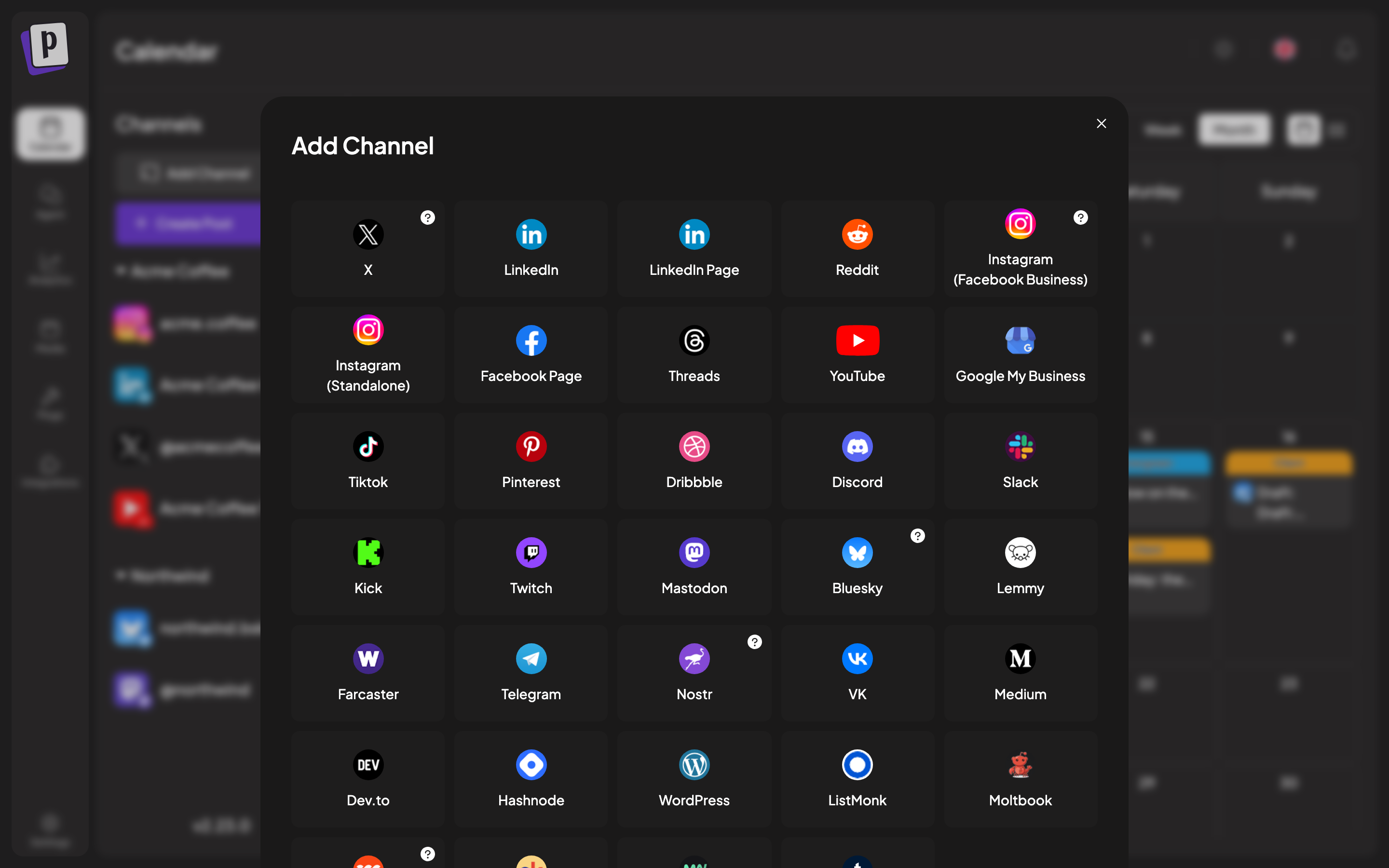
Where: Calendar, left sidebar, Add Channel
A channel is one connected social account. Everything else in Infipost, the calendar, the composer, analytics, hangs off channels, so this is the first thing you do.
The four connection flows
Which one you get depends on the platform, not on a setting. The Add Channel dialog picks automatically.
The common case: X, LinkedIn, Facebook, Instagram, YouTube, TikTok, Reddit, Pinterest, Discord, Slack and most others.
You click the platform, get sent to the platform's own authorisation screen, approve, and land back in Infipost with the channel connected.
Some platforms then ask a follow-up question, because one account can contain several destinations. Facebook asks which Page, YouTube which channel, Tumblr which blog, LinkedIn Page which company. Infipost calls this a "continue integration" step and the channel is not usable until you finish it.
Bluesky, Lemmy, Nostr, Medium, Dev.to, Hashnode, WordPress and Listmonk ask you for credentials directly, in a form inside Infipost. There is no redirect and no developer app.
What each one wants:
| Platform | Fields |
|---|---|
| Bluesky | Service URL (defaults to https://bsky.social), handle, app password |
| Lemmy | Instance URL (defaults to https://lemmy.world), username, password |
| Nostr | Private key |
| Medium, Dev.to, Hashnode | API key |
| WordPress | Site domain, username, application password |
| Listmonk | URL, username, password |
Credentials are stored encrypted. To change them later, use Update Credentials in the channel menu.
Telegram, Farcaster and Moltbook connect through a platform-specific step inside Infipost rather than a standard redirect. Follow the prompts in the dialog.
Telegram in particular connects a bot to a group or channel, so you add the Infipost bot to the destination and it appears as a channel.
Some platforms have no public posting API. Skool is the current example. Infipost connects to them through the Infipost browser extension, which reads your existing logged-in session from your browser and passes it to Infipost.
You need the extension installed, and you need to be logged in to the platform in the same browser. If Infipost cannot reach the extension you get Extension Not Found with an install link.
Letting a client connect their own account
You do not have to hold a client's password. The button next to Add Channel generates an invite link you can send them. They open it, authorise their own account, and the channel lands in your organisation.
Invite links only cover platforms that redirect cleanly, so platforms needing an instance URL, custom credentials or the browser extension are excluded from that list. See Client groups and invite links.
After connecting
The channel appears in the left sidebar with its avatar. Two markers are worth knowing:
- A red exclamation means the channel needs attention. Usually the token expired and it needs reconnecting, sometimes an unfinished setup step.
- Faded out at half opacity means the channel is disabled.
When a connect fails
The platform is missing or greyed out
Every platform should be connectable. If one consistently fails, report it in Discord.
Infipost lists every platform whether or not its keys are configured, so a platform that always fails to connect is usually one whose developer app was never registered. See Provider API keys.
"Invalid state" after authorising
The security token that ties the redirect back to your session was lost, usually to a privacy extension or a second browser tab. Start over in one fresh tab. Full detail in OAuth and channel connect errors.
The channel connected but posts fail immediately
Check whether the platform requires an extra approval step for API posting. Several platforms only allow posting to accounts explicitly added as testers until the developer app is reviewed.